 plumi
Storage requirements: Eduqas GCSE Computer Science questions
Eduqas GCSE Computer Science past-paper questions on 4.6 Storage requirements, 2018–2025, with mark schemes and examiner’s reports where available.
Getting your paper ready…
Eduqas GCSE Computer ScienceStorage requirements312 questions
Paper
All papers
Exam
All years
Calculations
Difficulty
More filters
Exam boards
Eduqas
Loading the full question list…






All 7 questions on Storage requirements, as a list
- June 2023, Component 1, Q1(a) (1 mark): State the name given to a collection of 4-bits. [1]
- June 2023, Component 1, Q1(b)(i) (1 mark): Smallest to largest. [1] 2050 B 0.5 GB 2 KB 532 MB
- June 2023, Component 1, Q1(b)(ii) (1 mark): Largest to smallest. [1] 0.01 TB 2 000 000 bits 0.26 MB 0.1 PB
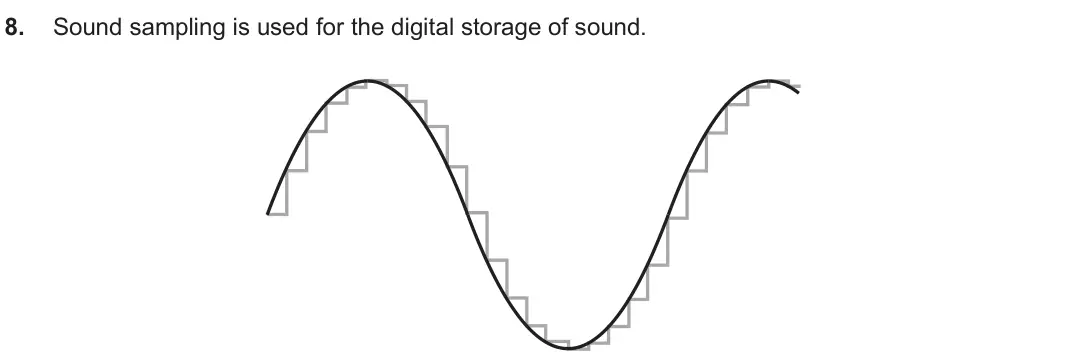
- June 2022, Component 1, Q8(c)(ii) (2 marks): Convert your answer to 8(c)(i) into megabytes. [2]
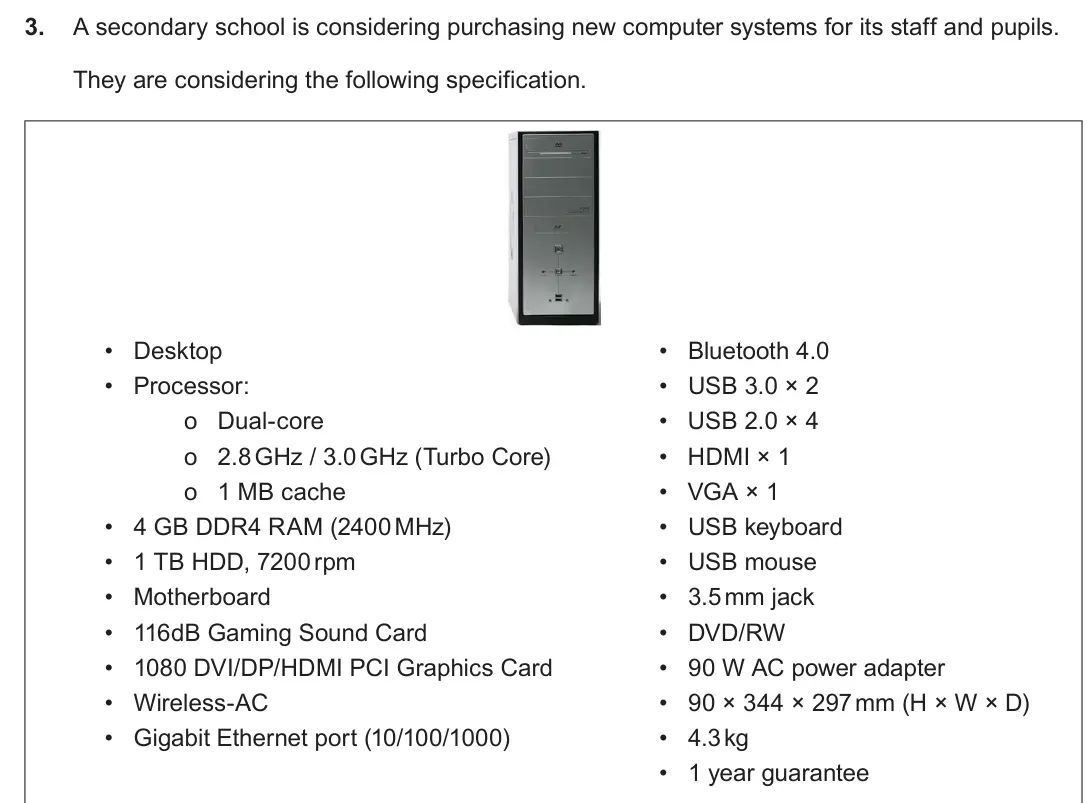
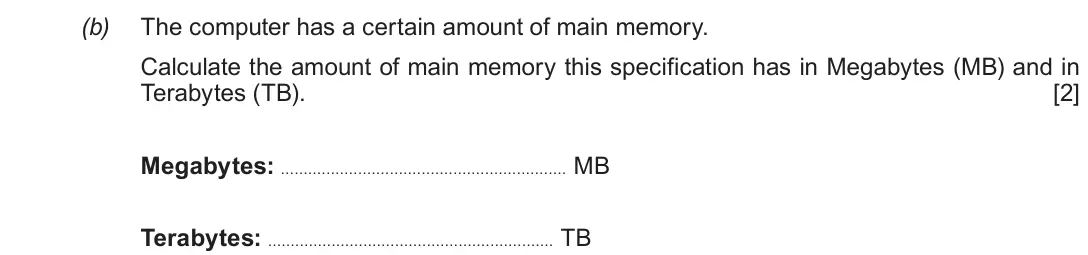
- Autumn 2020, Component 1, Q3(b) (2 marks): The computer has a certain amount of main memory. Calculate the amount of main memory this specification has in Megabytes (MB) and in Terabytes (TB). [2] Megaby
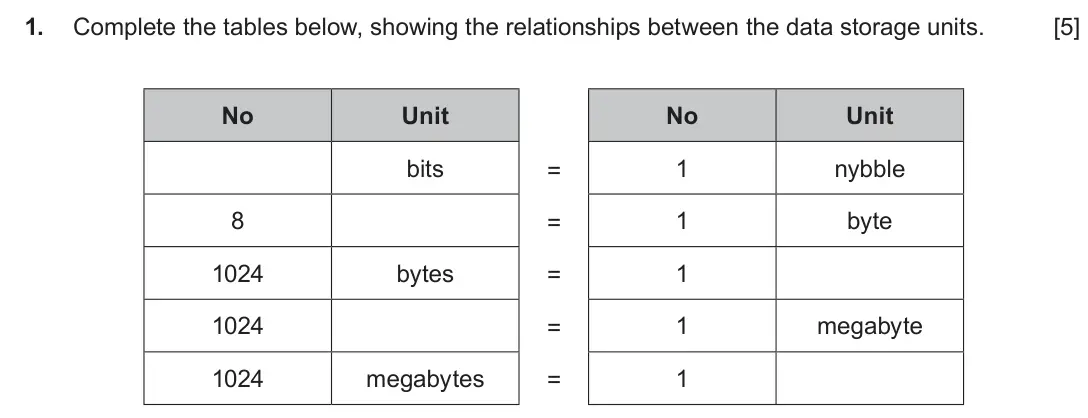
- June 2019, Component 1, Q1 (5 marks): 1. Complete the tables below, showing the relationships between the data storage units. [5] No Unit No Unit bits = 1 nybble 8 = 1 byte 1024 bytes = 1 1024 = 1 m
- June 2018, Component 1, Q1(d) (3 marks): A simple bitmap graphic has the following characteristics: • 8-bit colour depth • 10 × 300 pixels. Calculate the file size of this graphic in kilobytes. Show yo
Questions, mark schemes and examiner’s reports are © WJEC Eduqas, from their published past papers. Plumi isn’t affiliated with any exam board. Want whole papers? Eduqas GCSE Computer Science past papers.
The Plumi iPad app also offers exam-style questions with AI feedback on your handwritten working.